The product
You build the schedule. We keep the signal.
VideoStreaming.net is the infrastructure behind your channel: content, scheduling, sync and live control — no servers, nothing to install.
How it works
From zero to on air in three steps.
Build your schedule
Import your videos and arrange them into dayparts by time of day. Use what you already have on YouTube, Vimeo or your own links.
Publish your signal
Open your channel’s page on any screen with internet. They all sync to the same second, just like television.
Control it live
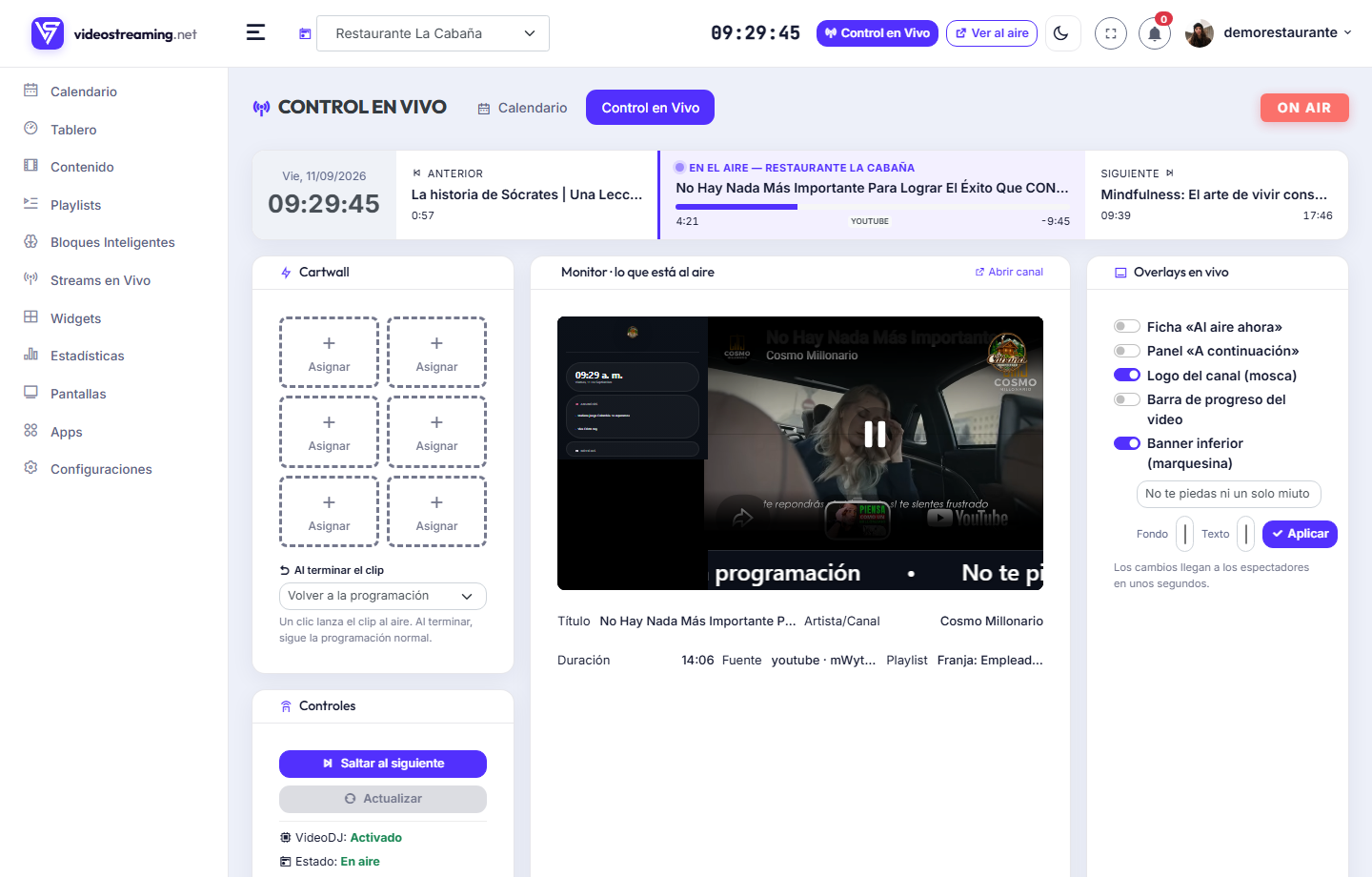
Change what’s on air, launch an announcement or drop in an overlay from your phone — without touching the screens.
The signal
A live signal, not a playlist.
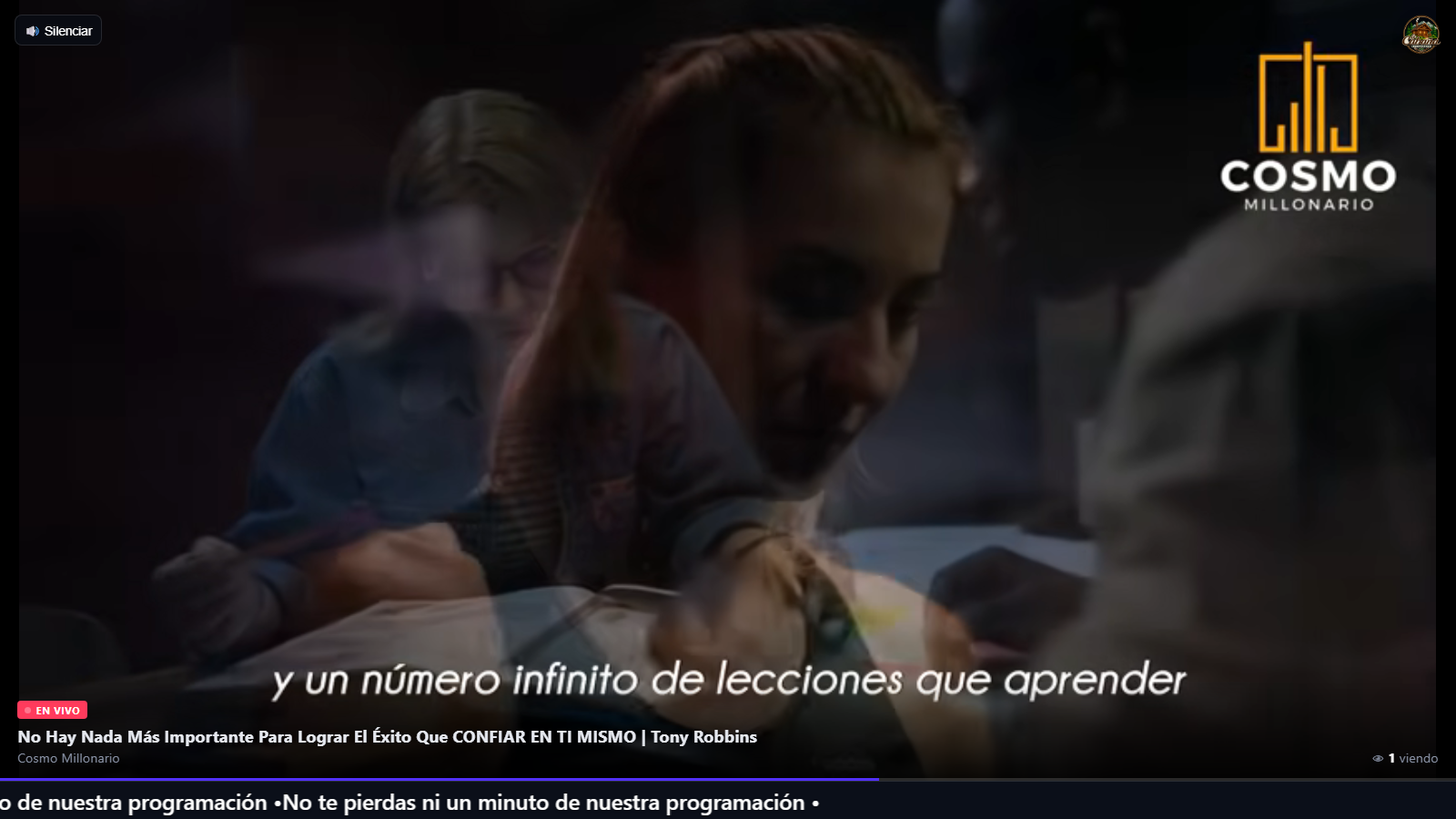
It's not on-demand video: it's a signal synced to the second across every screen, like real television.
Everyone sees the same thing, the same second, on a server clock.
If it stalls, it resyncs without anyone refreshing.
Deleted, private or blocked videos are detected and skipped.
YouTube, Vimeo, Dailymotion, Vevo, MP4, HLS and audio.
Air a live event; when it ends, it returns to the schedule on its own.
How many are watching, in real time.
Content
Fill it without producing 24 hours.
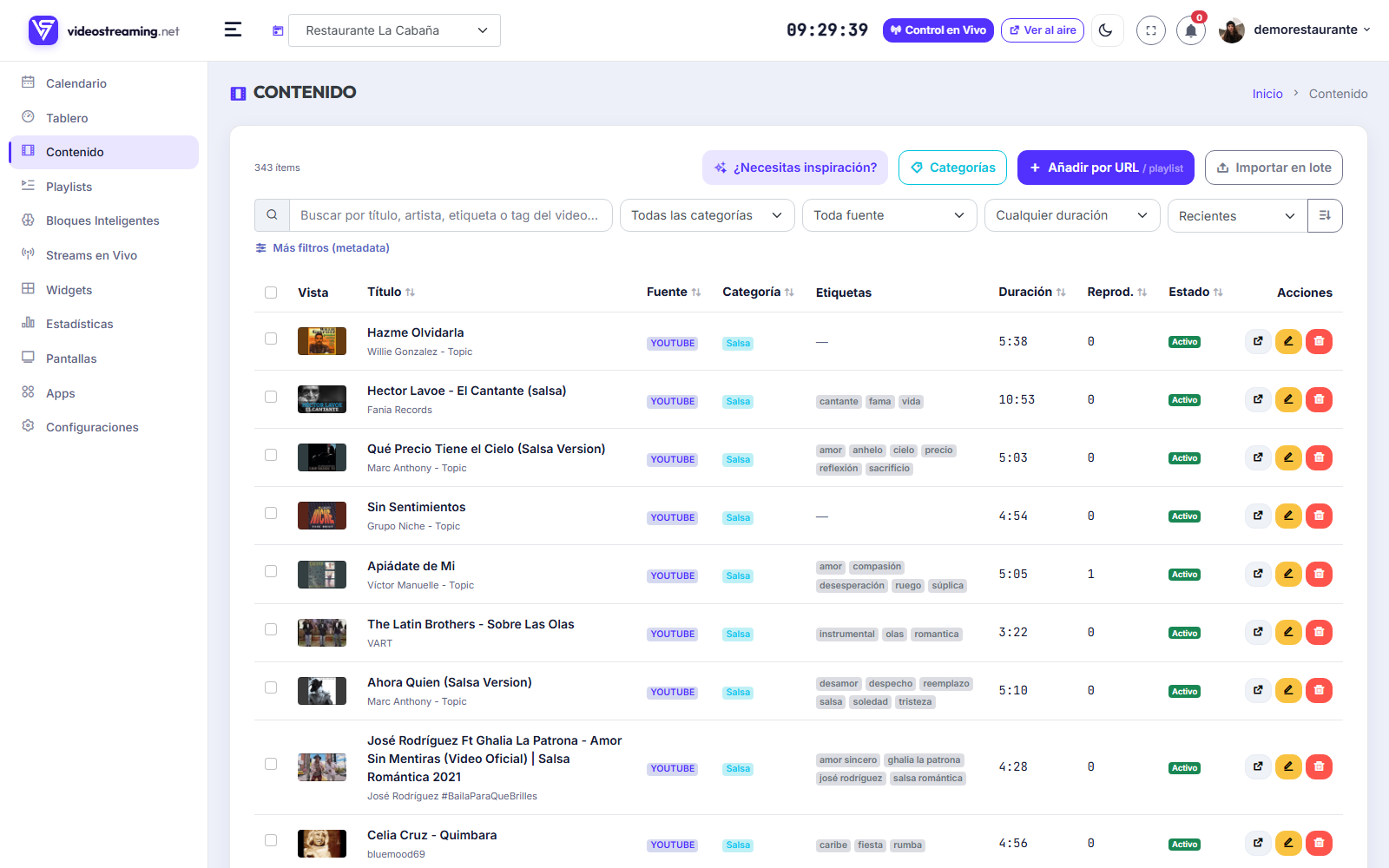
Use what already exists and import it in bulk. And if you don't know where to start, there's curated content ready to go.
A whole YouTube playlist or hundreds of URLs, in one go.
Curated, Netflix-style shelves you add with one click, tuned to your channel's DNA.
Playlists that fill themselves by rules (topic, artist, year, HD…) and refresh on their own.
New uploads to the source come in by themselves.
Categorize, tag and order; sequential or shuffled, by drag.
24/7 scheduling
Schedule it once. It runs on its own.
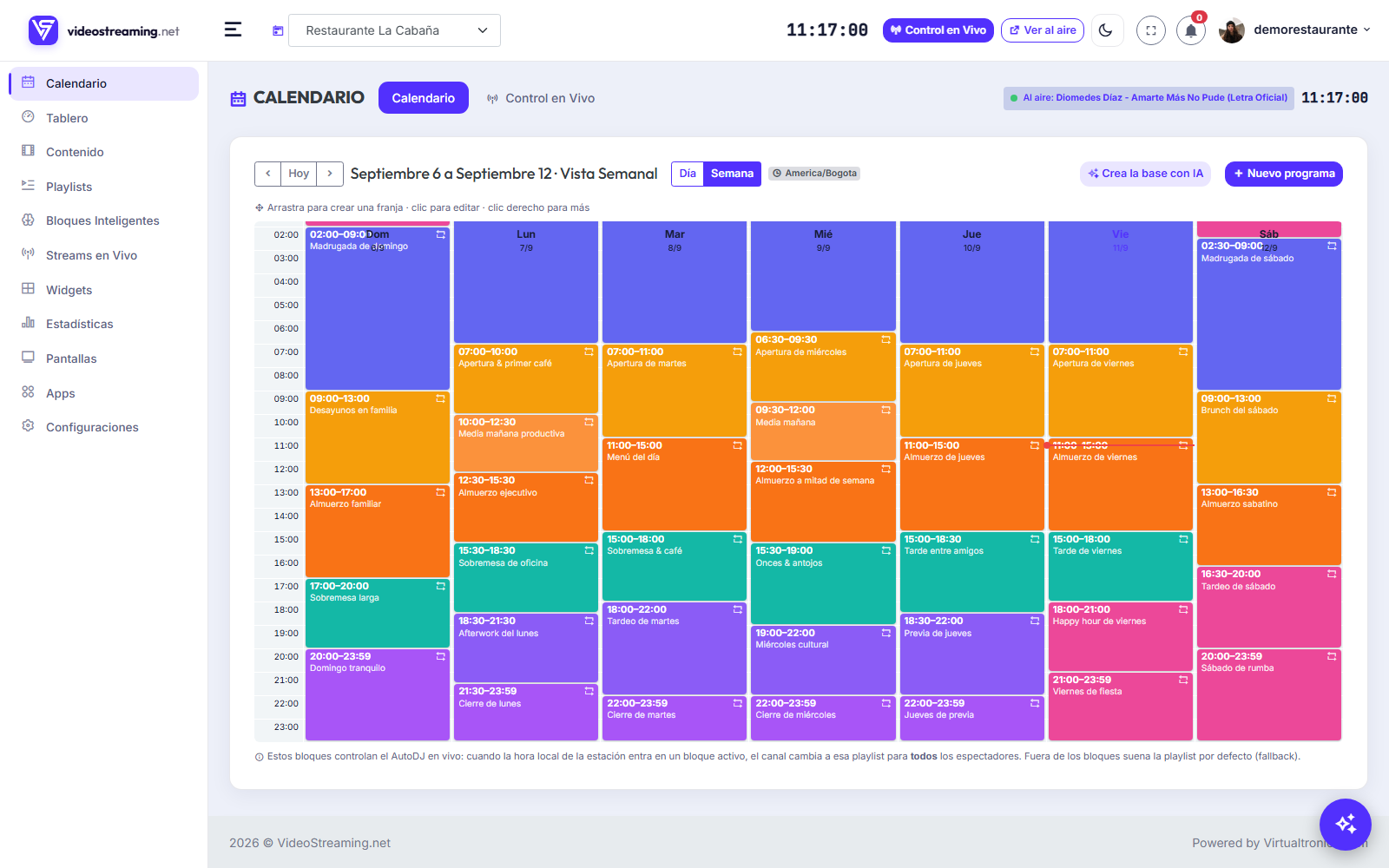
Build the schedule in dayparts and the engine keeps it on air, even when you're offline.
Drag playlists and blocks onto each day and hour.
Builds the timeline and keeps everything in sync, by itself.
Radio-style rules so the same artist or topic doesn't repeat too often.
Intro/outro per daypart, and inserts every few videos.
With artificial intelligence
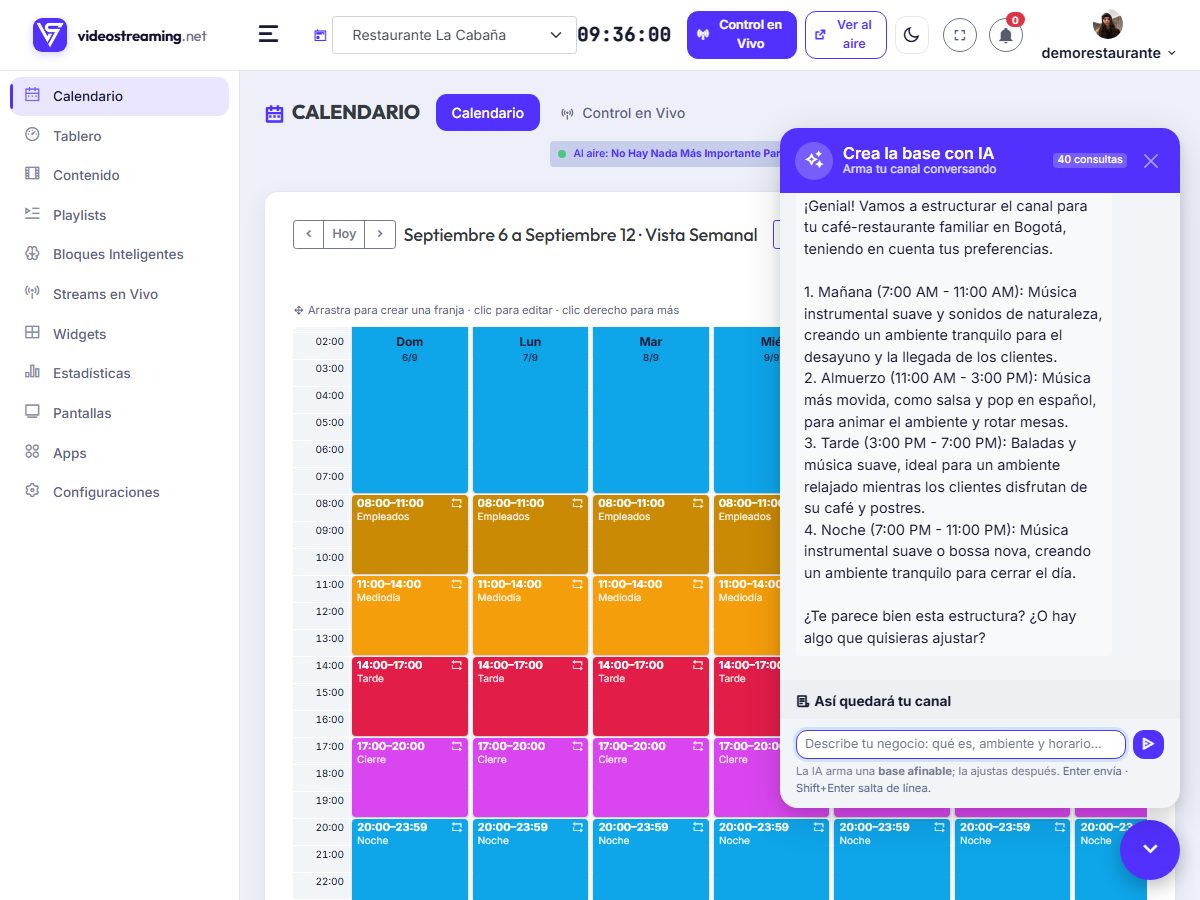
Not sure where to start? AI builds your channel.
Describe your business and the AI interviews you —how the day opens, carries and closes— then builds the full 24/7 schedule: it imports the content, creates the blocks and writes the calendar. You just review and approve.
Your brand
The screen speaks like you.
Your logo, your colors and your messages over the video. Not a generic screen: yours.
Lower third, “on air now”, “up next” and a progress bar over the video.
In the corner you choose, always present.
Remove our brand from the player.
tv.yourbrand.com and named addresses.
Skip, “show now” and toggle overlays instantly, from your phone.
Audience & team
Measure what happens and work as a team.
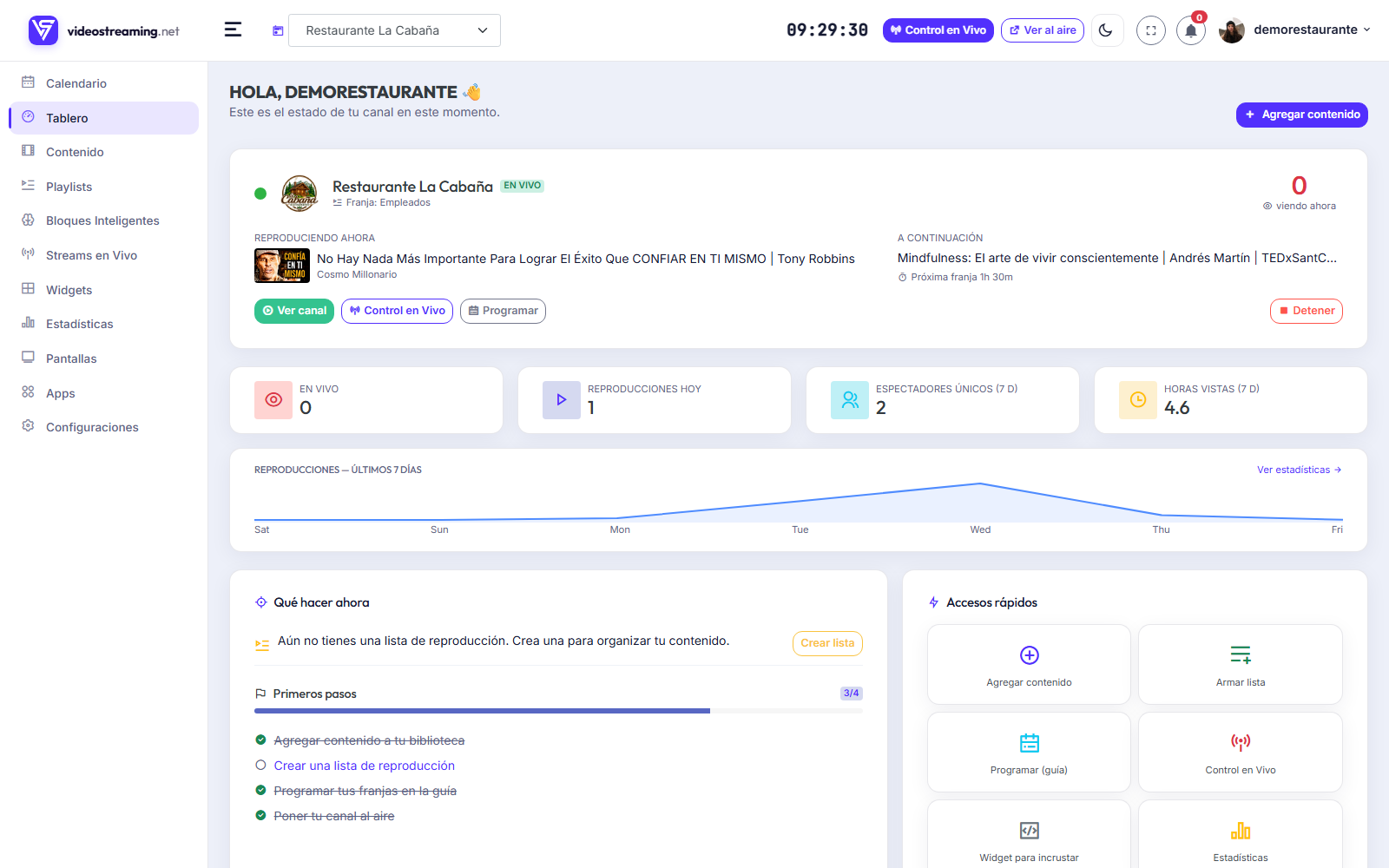
See who’s watching, put your signal on your own site and add your people.
Viewers, sessions and most played; advanced analytics by hour, device and retention.
Player, “on air now” and a LIVE badge to drop into your site.
Add your team with permissions, without sharing your password.
Several channels from a single account.
On any screen
Take it to your TV with the app.
With VideoStreaming Screen, any Android TV, Fire TV or phone becomes your channel: tune in with a code and it stays on air by itself.


And this is just the core
With Apps, your signal becomes an experience.
On top of your channel you install Apps that add to the screen: weather, a digital menu, headlines, a countdown, commercials, a notice board, your socials and more.
Click an App to preview it.
See it in action.
Create a channel free and build your first schedule in minutes.